Test Management & Governance
Nimbal Tree provides a robust framework for managing the entire testing lifecycle—from planning and requirement gathering to execution and analytics.
Projects
Organize Your Testing with Projects
A Project in Nimbal Tree acts as a central container for all testing activities related to a specific application, product, or system. It helps teams maintain clarity and structure by grouping related requirements, test cases, cycles, and results under one umbrella.
How It Works
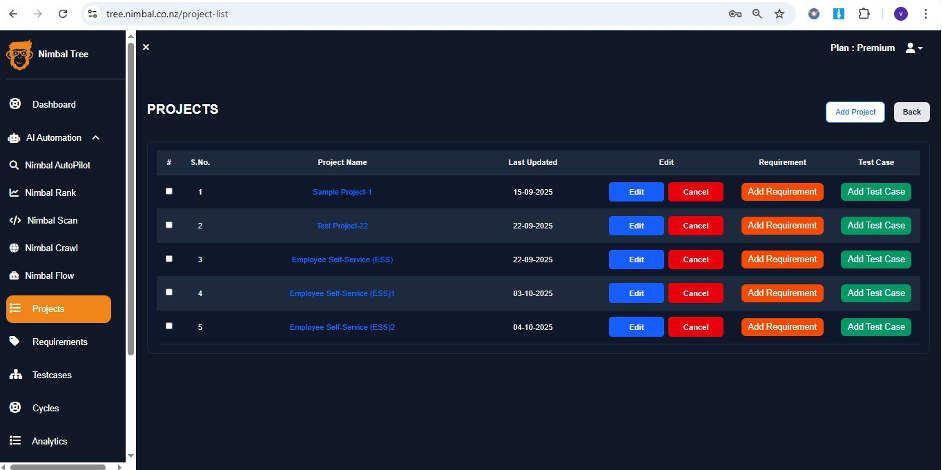
- 1Click Add Project to create a new project.
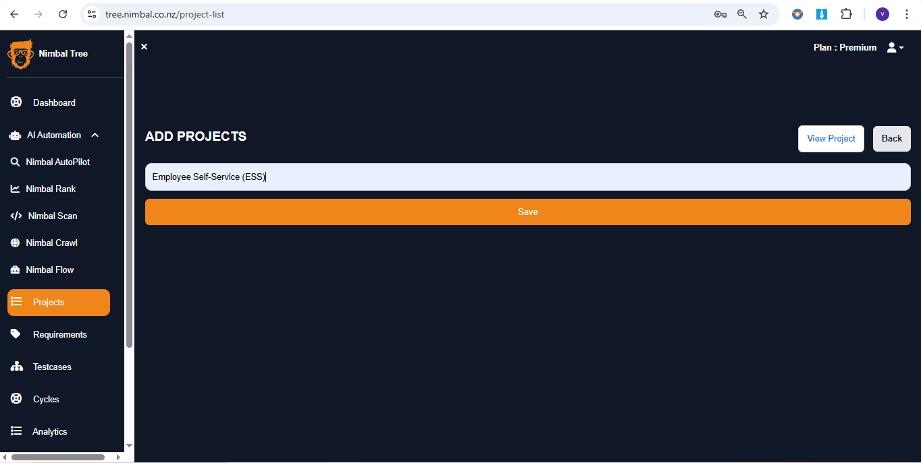
- 2Assign a name and optionally a description.
- 3All subsequent testing assets will be linked to this project.
Why Use Projects?
Centralized ManagementKeep all testing components organized.
Team CollaborationAssign roles and responsibilities within a project.
TraceabilityEasily track progress and changes across releases.
Missing: /images/test/project-1.png
Missing: /images/test/project-2.png
In the Project section, you can add a new project by clicking the 'Add Project' button and entering the project name.